Key Ceremony
The Key Ceremony is a vital security procedure that ensures the integrity and secrecy of an election. It generates a fragmented cryptographic private key, ensuring that no single individual or organization can decrypt votes or manipulate the tally independently.
Core Concepts: Threshold Cryptography
The security of the Sequent system relies on Threshold Decryption.
- Fragmentation: The private key is never generated as a single file. It is split into multiple fragments, each assigned to a different Trustee.
- The Threshold: This is the minimum number of Trustees required to combine their fragments and decrypt the results.
- Security Guarantee: A threshold (e.g., 2 out of 3) ensures that even if one fragment is lost or stolen, the election remains secure and recoverable—but only if the remaining Trustees cooperate.
Step 1: Administrator Initiation
The Platform Administrator acts as the coordinator for the ceremony.
- Log in with Administrator permissions.
- Select the Electoral Event and navigate to the Keys menu.
- Click
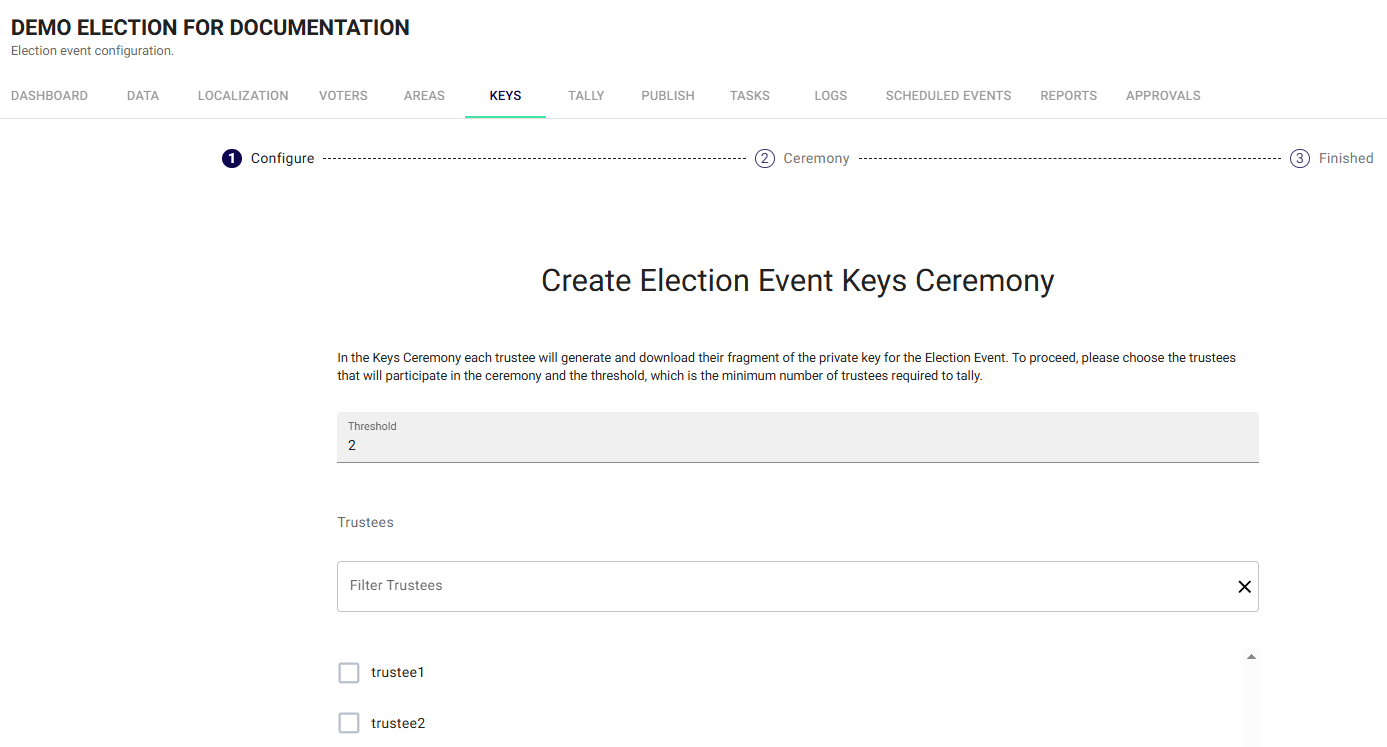
+ Create Key Ceremony. - Configure the Threshold: Set the minimum number of members needed to tally. Sequent recommends that the threshold be lower than the total number of Trustees (e.g., a threshold of 2 for 3 Trustees).
- Assign Trustees: Use the filter to select specific authorized users (usually members of an electoral board).
- Select the Election scope (one specific election or "All Elections") and confirm.
Step 2: Trustee Participation
Once the ceremony is created, each assigned Trustee must perform their individual security steps.
- Login: Each Trustee must log in with their own unique credentials.
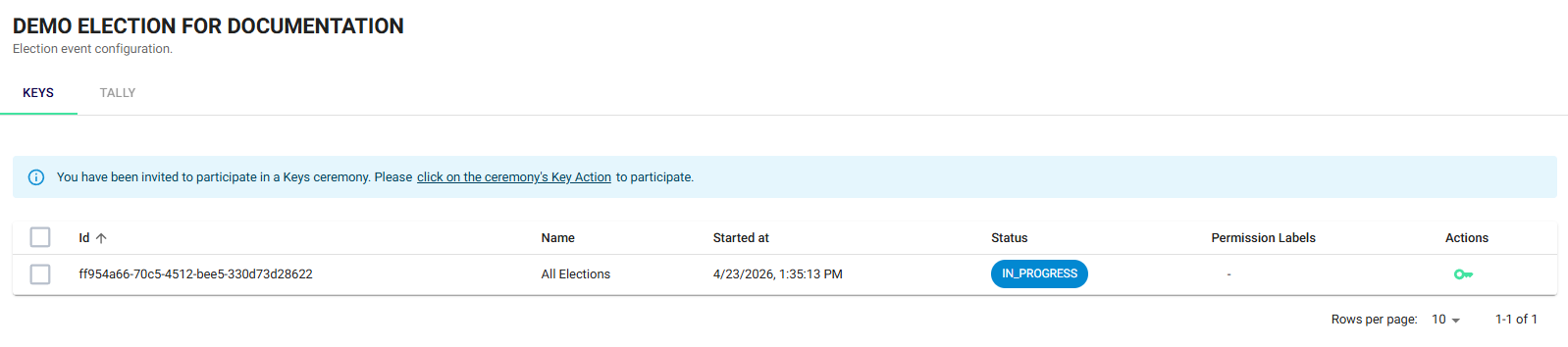
- Access Keys: Navigate to the Keys menu of the event. A notification will invite the user to participate. Alternatively, trustees may select the green key icon.
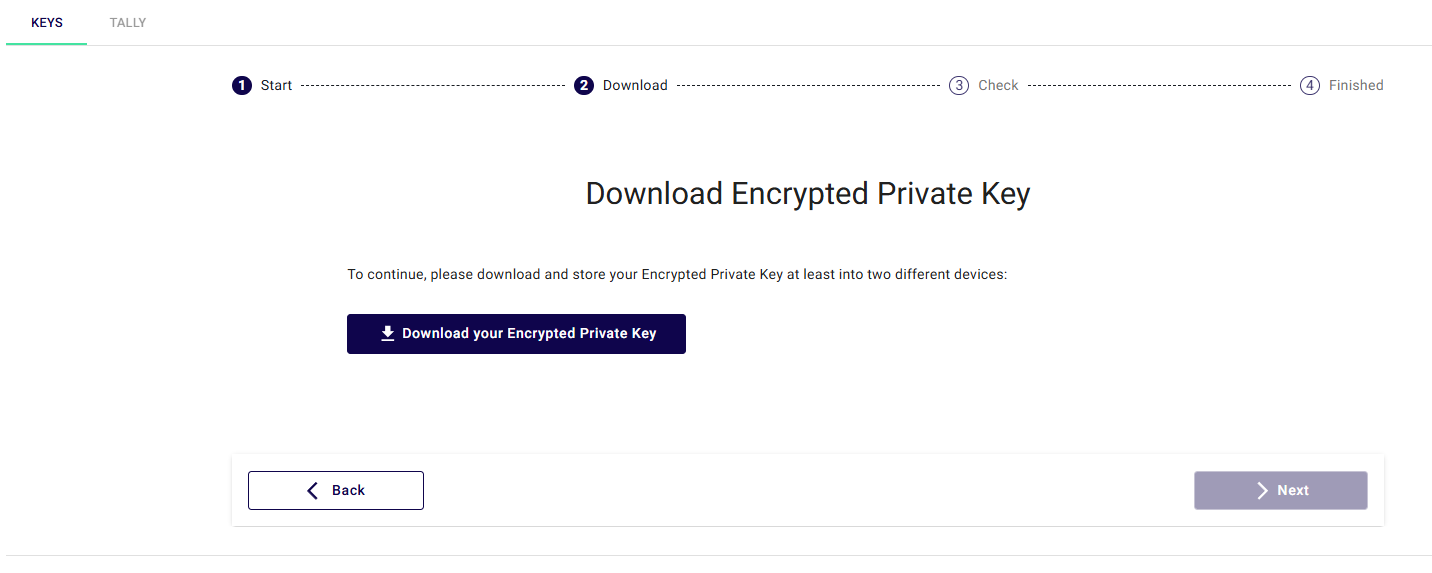
- Generate & Download: Click the to download the unique private key fragment.
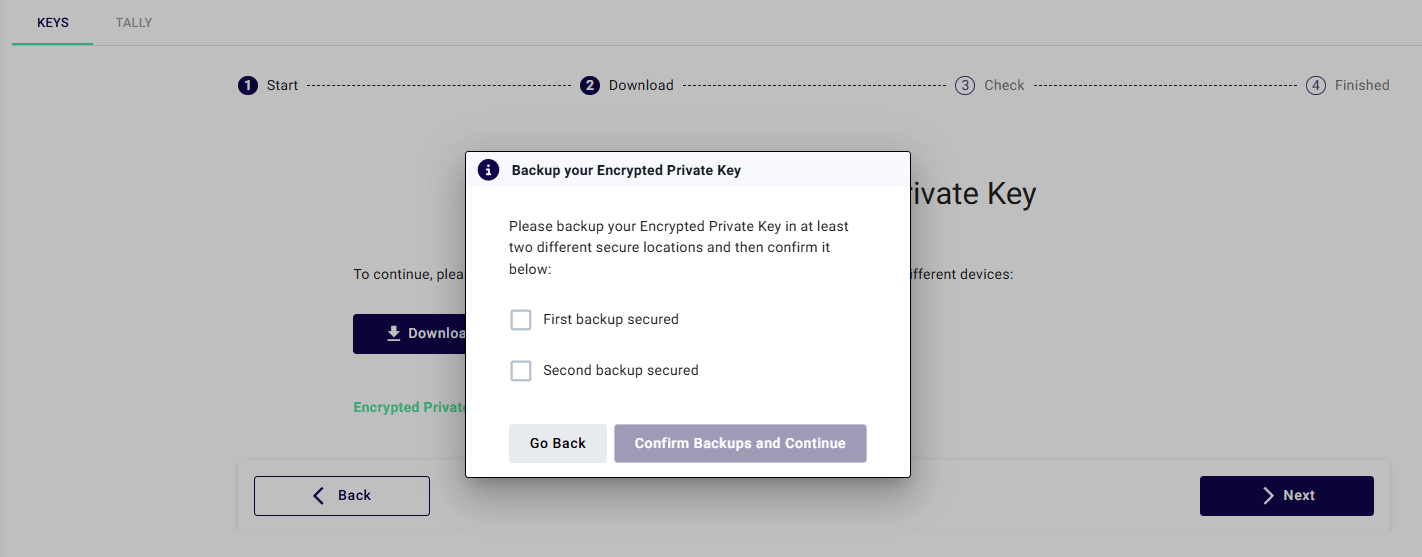
- Secure Backups: Trustees are required to confirm they have saved the fragment in at least two different secure locations, typically encrypted USB devices.
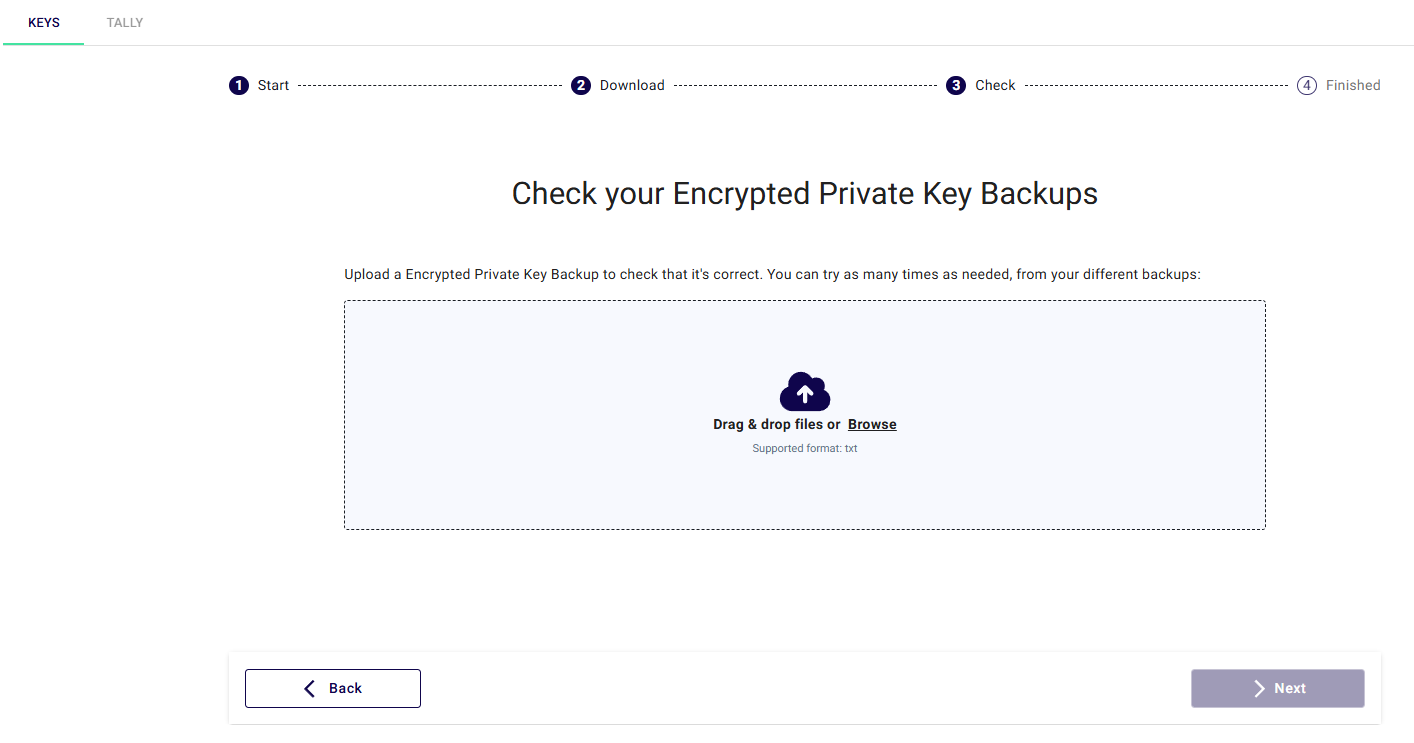
- Integrity Check: The Trustee must upload the file back into the "Check" box to verify that the download was successful and the file is valid.
Step 3: Monitoring and Success
The Administrator can monitor the Key Ceremony Progress dashboard to track completions.
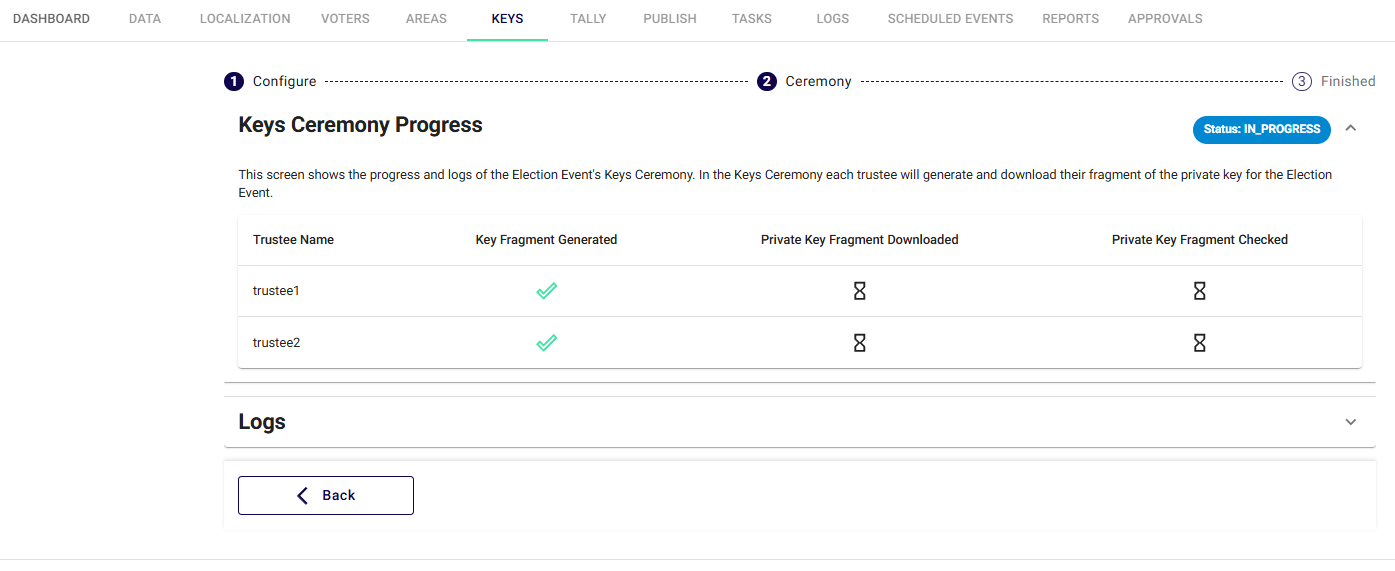
- Green Checkmarks: Indicate that a Trustee has successfully generated, downloaded, and verified their fragment.
- Logs: A detailed activity log at the bottom of the screen records every step of the ceremony for auditing purposes.
Once all Trustees complete their tasks, the status will change to SUCCESS.
If too many Trustees lose their fragments (dropping the total below the set threshold), the election results cannot be decrypted by anyone, including Sequent technical support. Secure storage of these fragments is the most critical responsibility of the Trustees.