Cast Your Vote
To participate in the election, follow the steps below to authenticate, select your candidates, and securely cast your ballot.
Step 1: Login to the Voting Portal
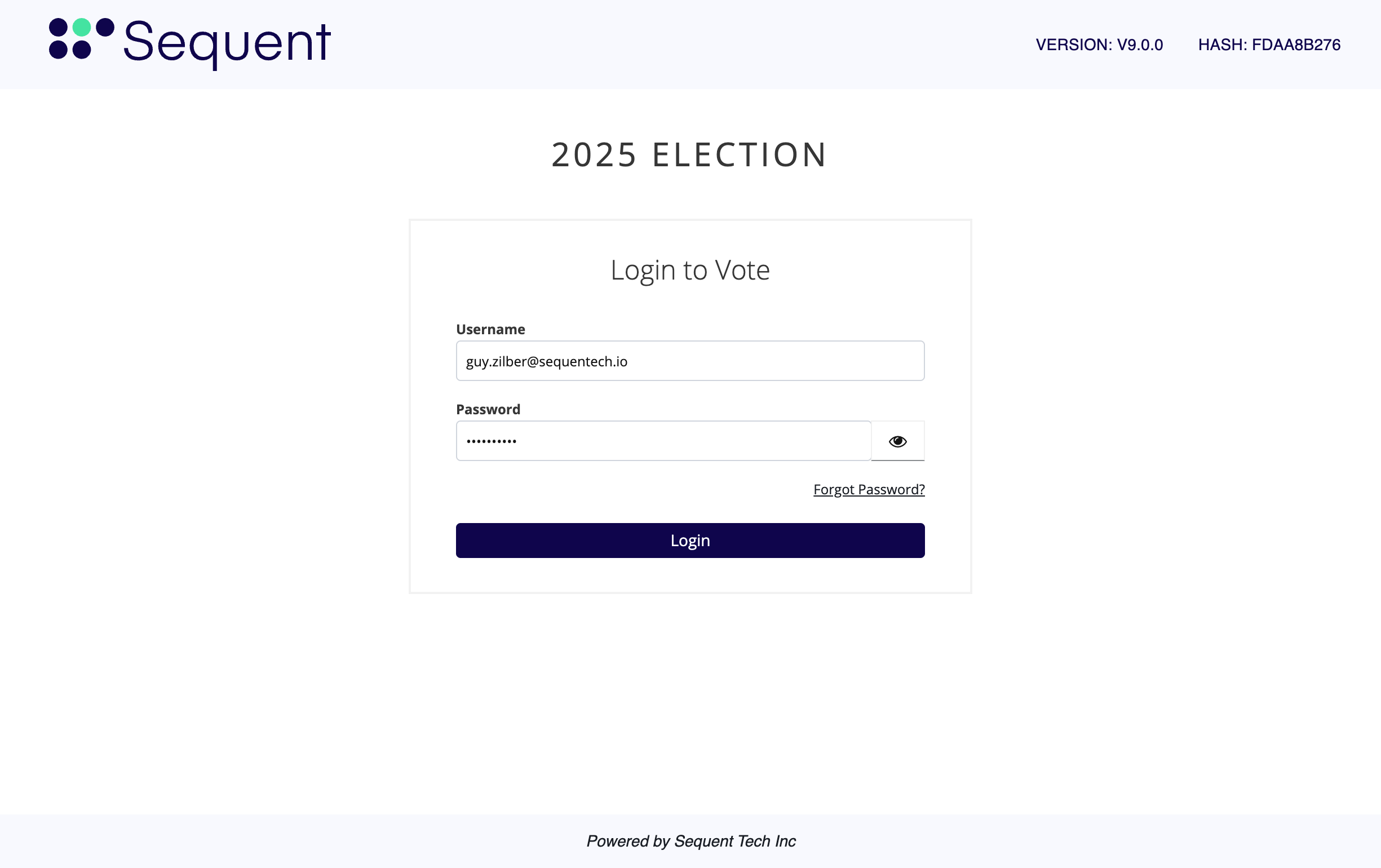
- Enter your login credentials (username and password).
- Select
Login.
Authentication Method: The image above shows a standard login, but your specific authentication method may vary. Refer to your specific login instructions for additional information.
Step 2: Select Your Ballot
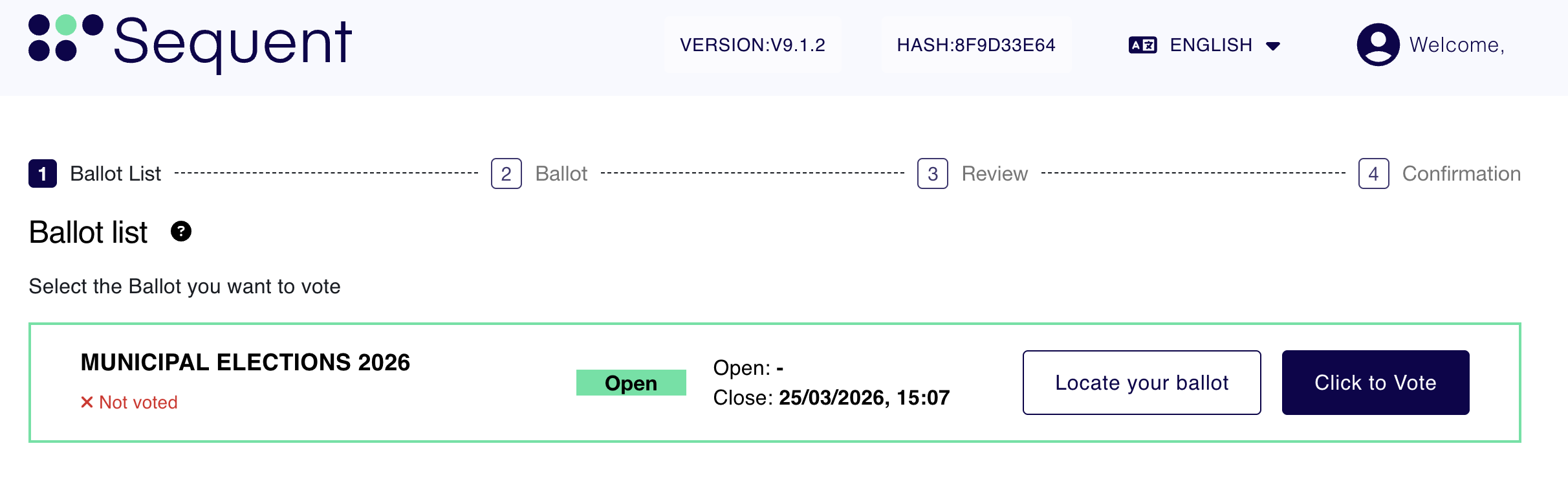
From the dashboard, you will see a list of ballots available to you. Note that multiple ballots may appear depending on your eligibility.
- Locate the ballot you wish to vote on.
- Select the
Click to Votebutton.
Step 3: Review Instructions
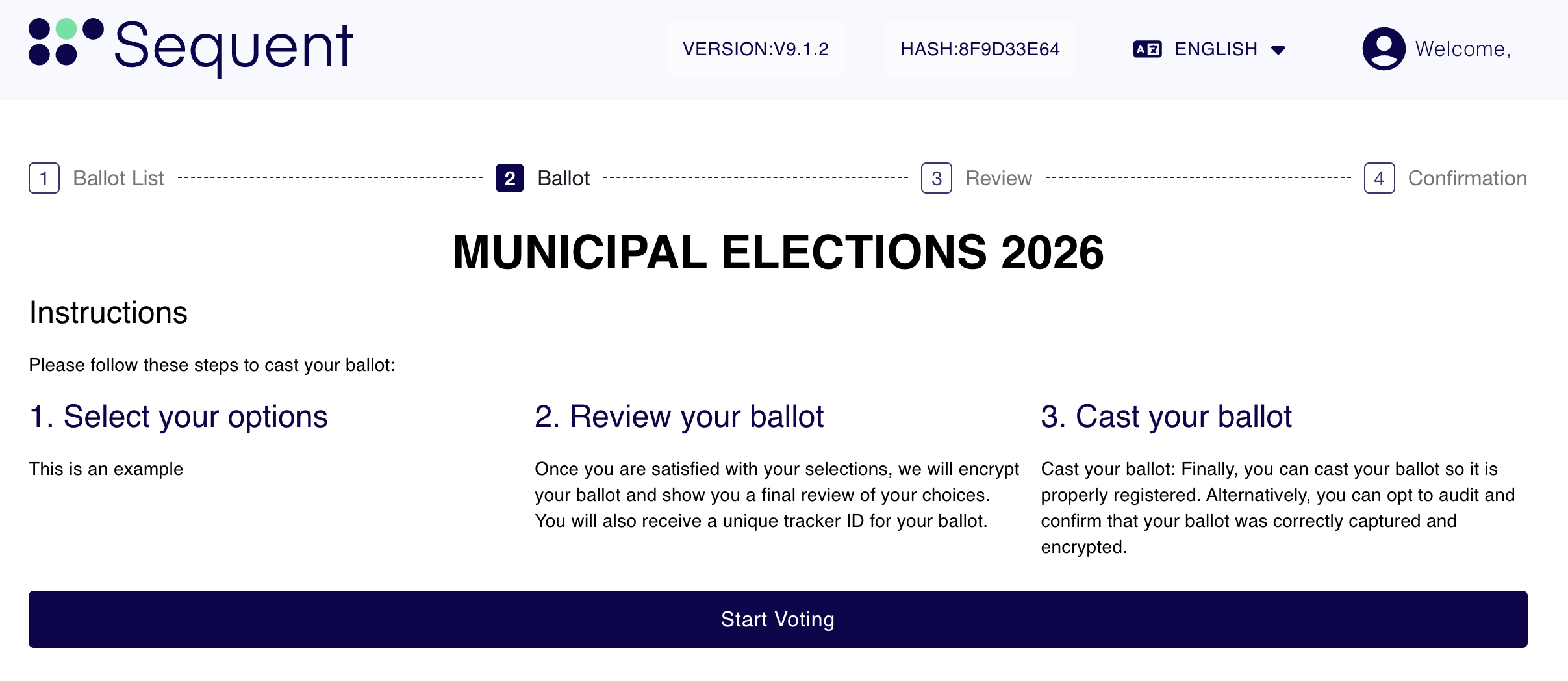
Before beginning, the system provides simple instructions on how to navigate the digital ballot.
- Review the provided instructions.
- Select
Start Voting.
Step 4: Mark Your Ballot
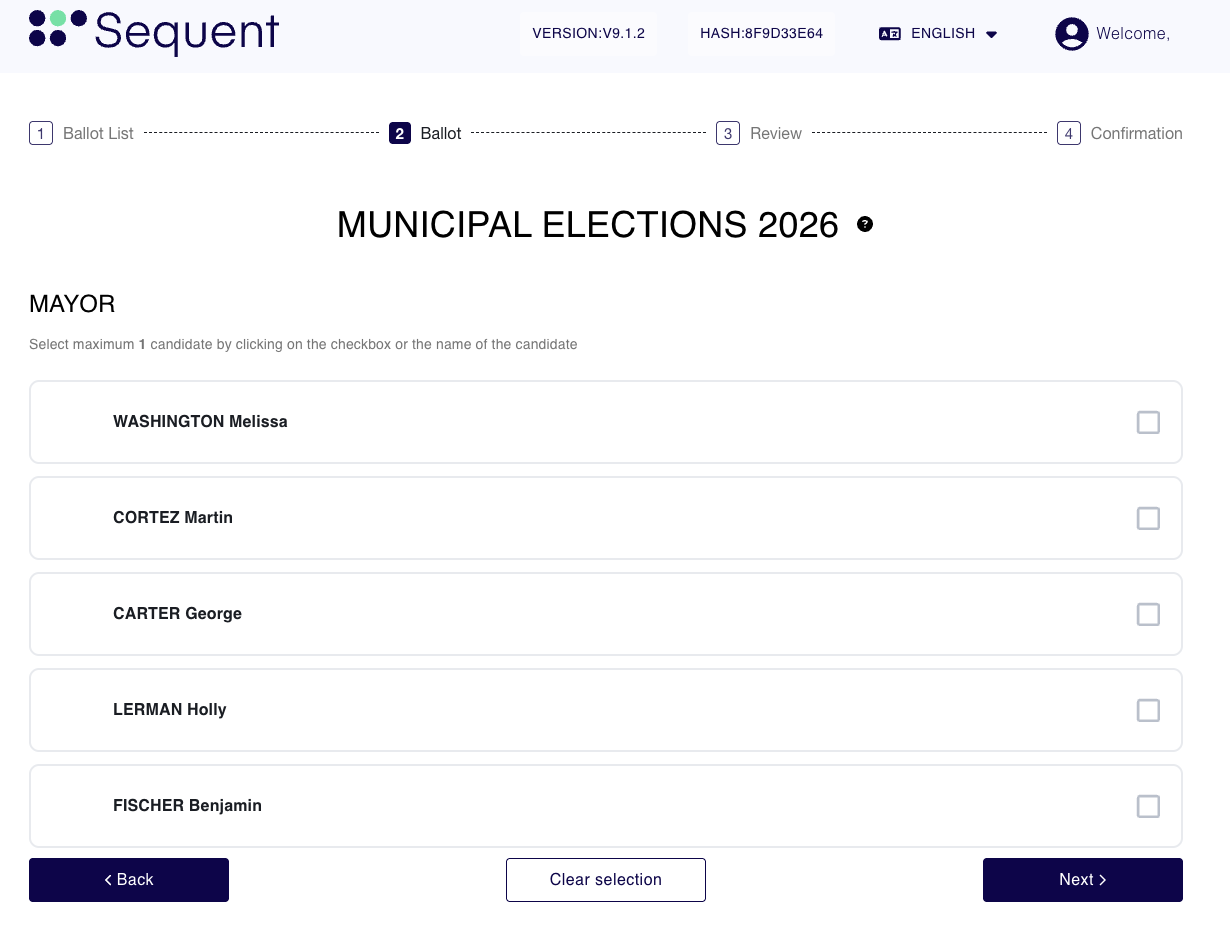
This screen is where you choose your candidates and make your selections.
- Select your preferred candidates.
- Select
Nextto proceed to the Ballot Review screen or the next available contest.
Optional Actions:
Clear SelectionSelect this to remove all currently selected candidates.BackSelect this to return to the ballot selection screen.
Step 5: Review and Cast Your Vote
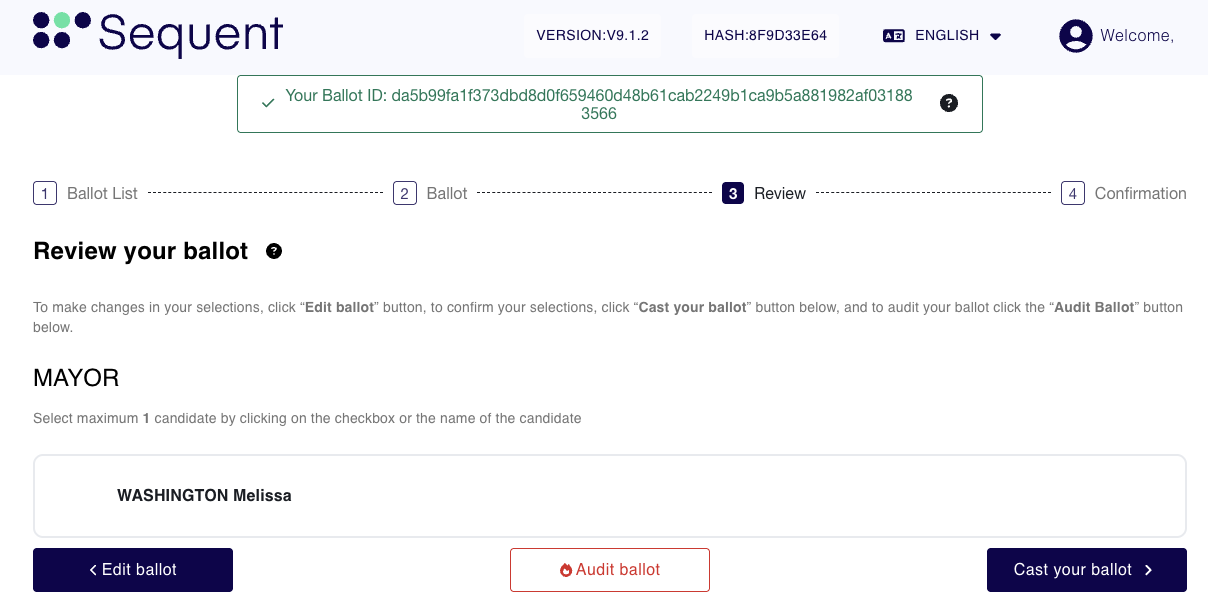
This stage allows you to verify your choices before they are permanently recorded.
- Review your selections one last time.
- Note your Ballot ID: This unique identifier is used for locating or auditing your ballot later.
- Select
Cast your Ballot.
Auditing your Ballot: You may choose to "Audit your Ballot" to ensure selections were correctly encrypted. Please note that auditing will void the ballot. Refer to the "Auditing your Ballot" tutorial for more details.
Step 6: Confirmation and Receipt
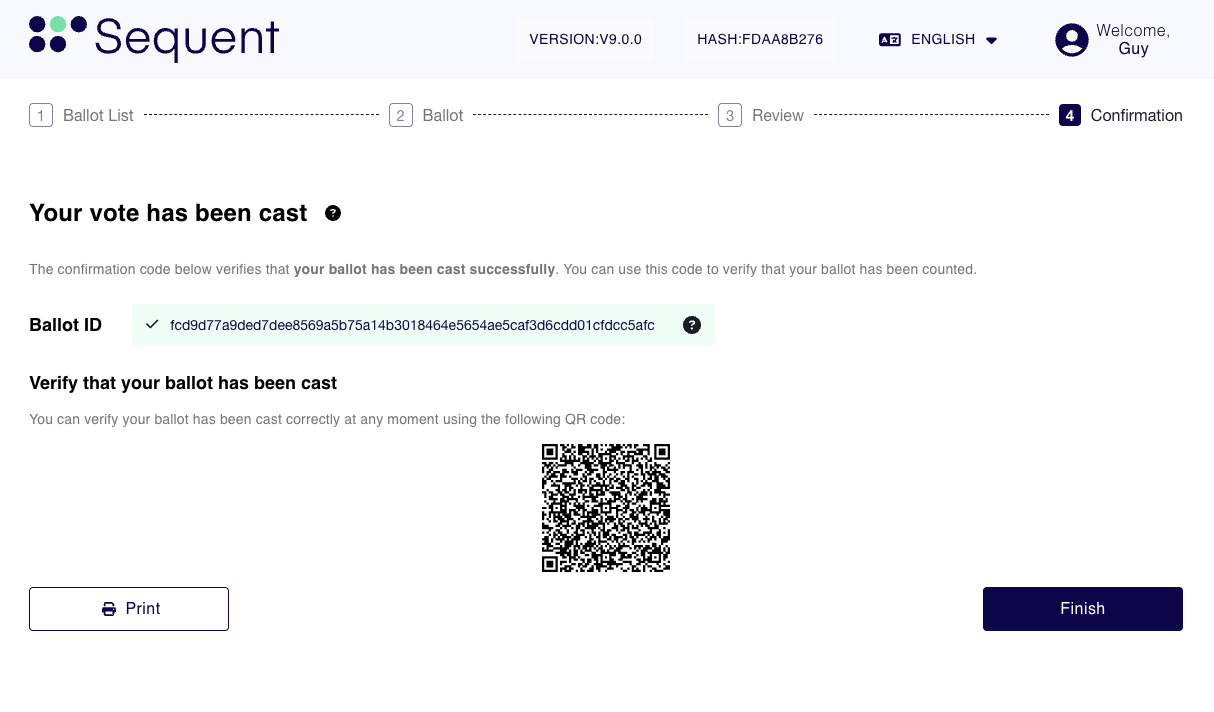
Once submitted, the confirmation screen verifies that your vote was successfully cast.
- Ballot ID: A unique ID is displayed to help you track your submission.
- QR Code: When scanned, the QR code takes you directly to the Ballot Locator to verify your ballot by ID.
- Select
Finishto return to the main election selection screen.
Save Your Receipt: You can select the Print button to download or print a physical copy of your vote receipt.