Import/Export of Elections
The Sequent Admin Portal provides tools to export election data for backup or auditing and to import existing election configurations to quickly set up new events.
Exporting an Election Event
Exporting allows you to save a comprehensive snapshot of your election event.
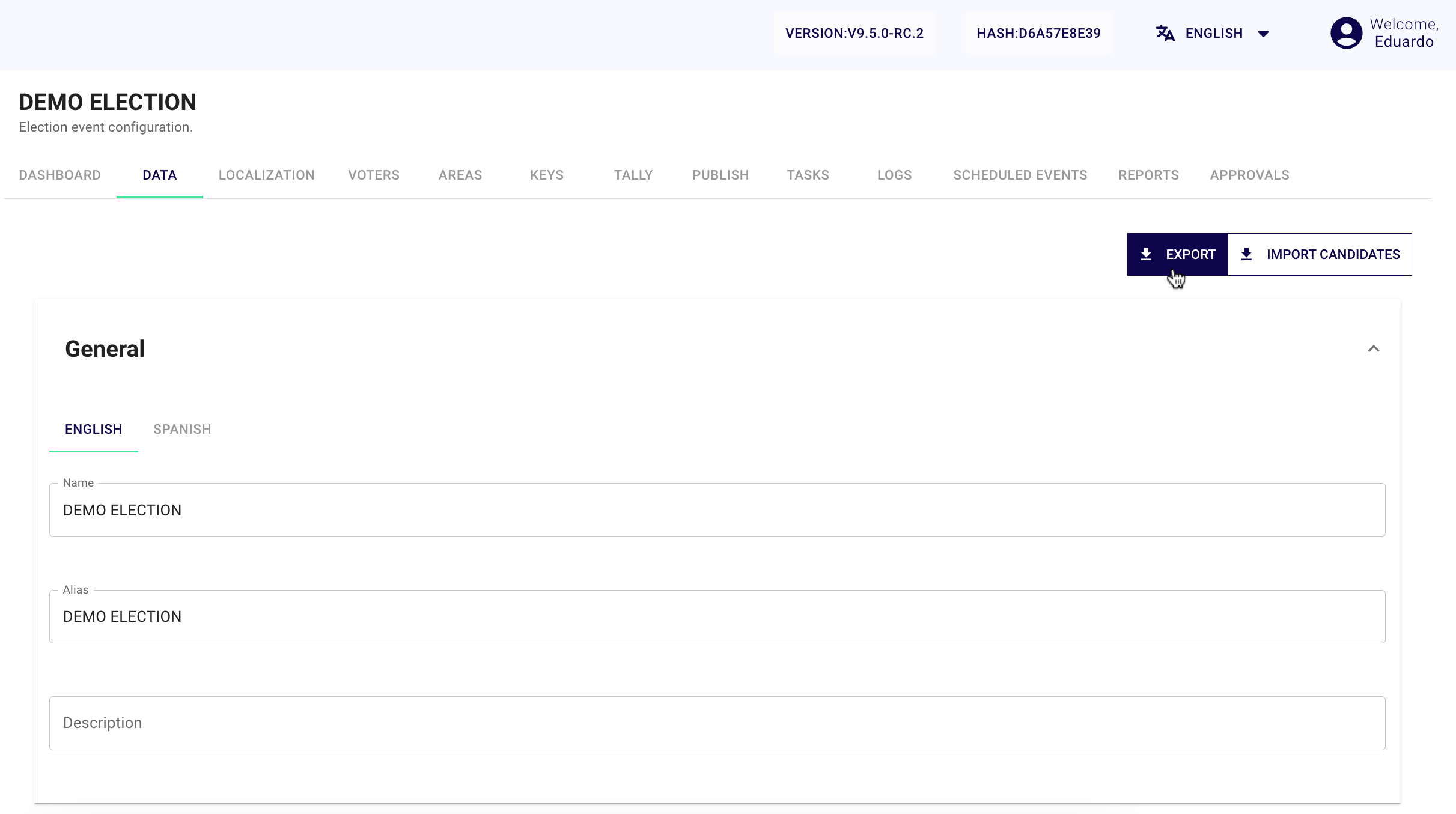
- Navigate to the Data menu within your specific Electoral Event.
- Select the
Exportbutton.
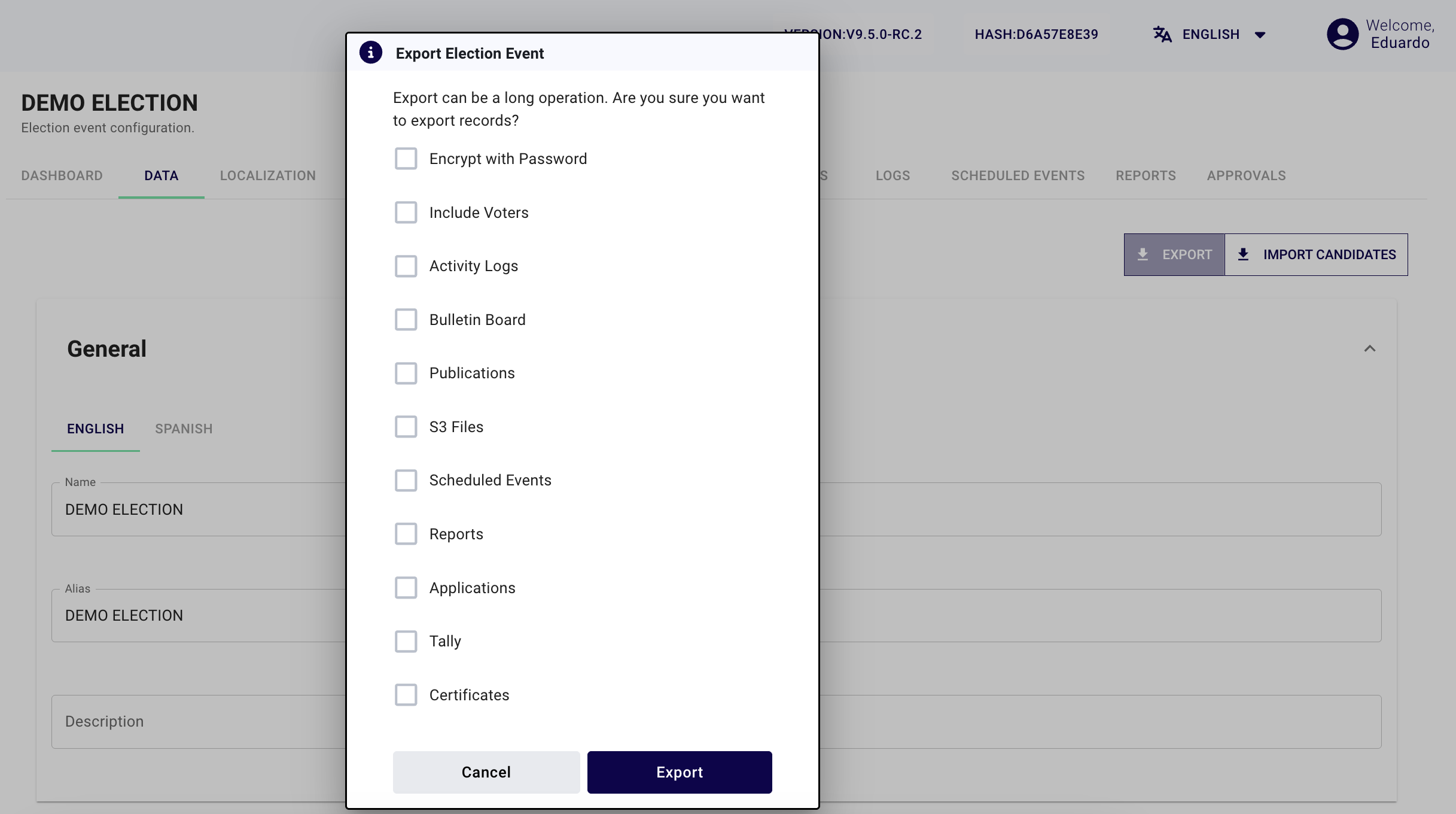
- Choose the data components you wish to include in the export:
- Include Voters: Exports the registered voter list.
- Activity Logs: Includes a history of administrative actions.
-
- Bulletin Board: Includes the cryptographic state of the Election Event such as key ceremonies.
- Publications: Includes the publication history for the Election Event.
- S3 Files: Includes images, support materials or other files that are saved in cloud storage.
- Scheduled Events: Includes configured Scheduled Events.
- Reports: Includes generated election reports.
- Tally: Includes the final vote counts (if available).
info
Security: If you select sensitive data like voter lists, the system automatically activates Password Encryption for the resulting ZIP file.
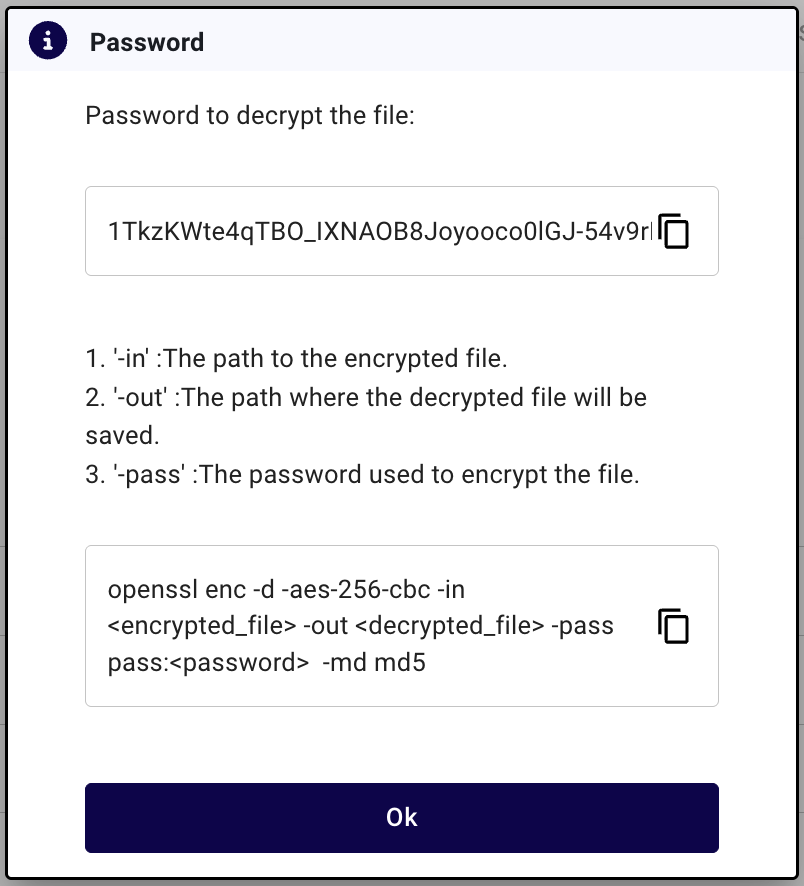
- Click
Exportto generate an.ezipfile. - Save the Password: A dialog will display a unique decryption password. Copy and store this securely; you will need it to import the file later or to unzip it manually.
Importing an Election Event
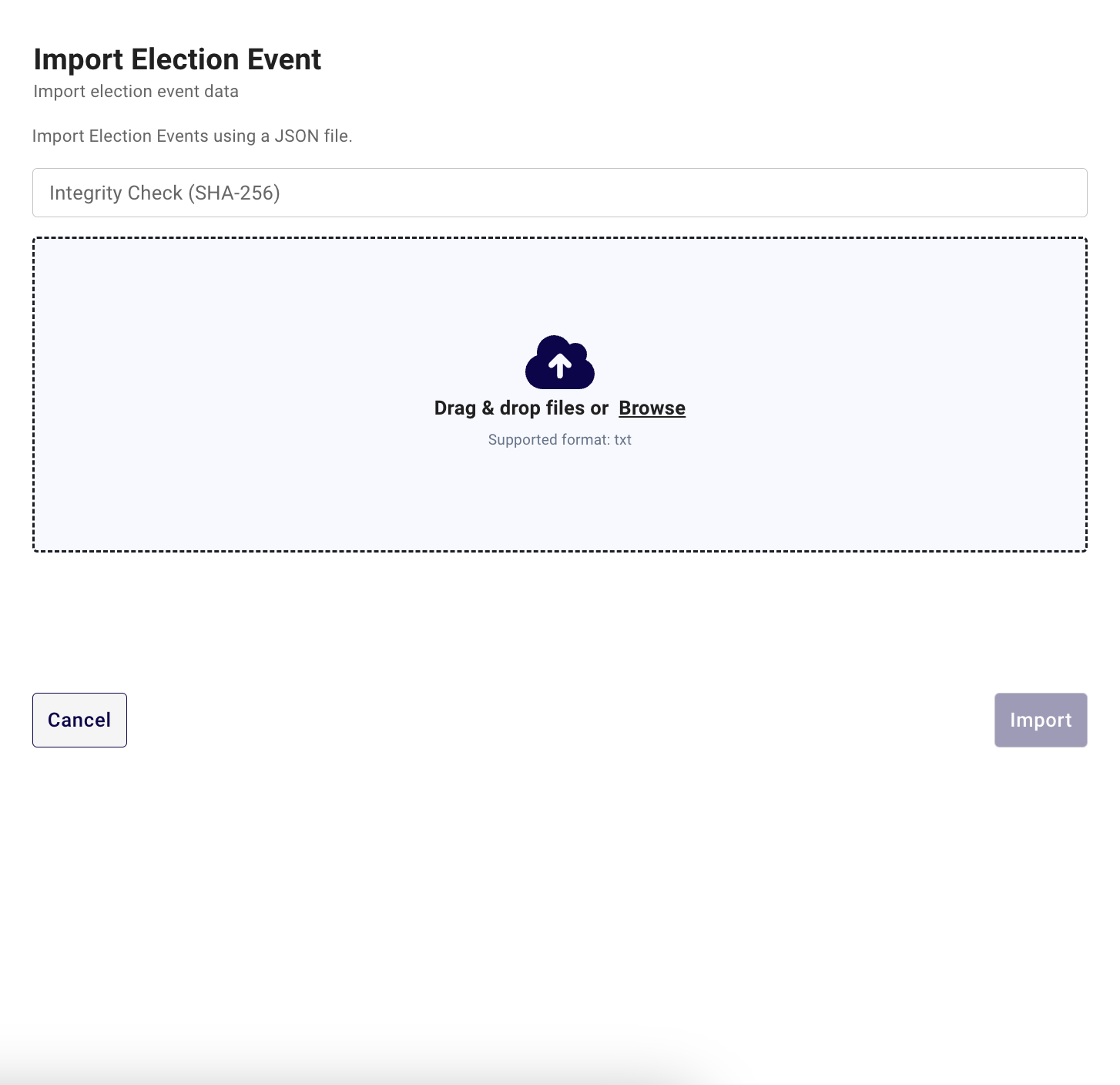
You can import an election event using a previously exported .ezip file to recreate an event configuration.
info
You can only import election events exported from the same major version, with the same or lower minor version. For example, assuming you have version 10.1.0 installed, you can only import events from version 10.1.0 or 10.0.0.

- From the sidebar, click the plus icon next to "Election Events" or the
+ Create an Election Eventbutton. - Select
Import Election Event.