Email and SMS OTP for Imported Voters
This tutorial explains how to make imported voters receive a one-time password at
login, by email, by SMS, or by both, without asking them to enrol anything
first. It uses the Auto-create OTP credential option
(autoCreateCredentialAttribute) of the message-otp-authenticator Keycloak
extension.
The option behaves identically for both delivery channels: what decides whether a voter gets a code by email or by SMS is the Message Courier setting plus the address the voter actually has. The screenshots below happen to show an email-only voter, but every step applies unchanged to SMS.
Why this option exists
The OTP step is normally guarded by Keycloak's Condition - user configured,
which asks the authenticator whether the voter is configured for it. Historically
that answer was false unless the voter had a stored message-otp credential.
Voters imported or edited through the admin portal get their email and mobile
attributes set, but no message-otp credential is ever stored for them. The
result is that the OTP sub-flow is silently skipped: the voter signs in with the
password alone, and no second factor is ever requested. In flows where the OTP is
the only alternative left, the login instead fails with a generic
invalid_user_credentials error.
With Auto-create OTP credential enabled, the authenticator creates the
message-otp credential during login for any non-deferred voter that already has
an email address or a mobile number, so the OTP step runs on the voter's very
first login.
The option is disabled by default: enabling it is an explicit decision per authentication flow.
Prerequisites
- Voters imported with an email address, a mobile number, or both.
- A working sender for the channel you use: an email sender for email codes, an SMS sender for SMS codes. In the development environment the dummy senders write the message to the Keycloak log instead of sending it.
- Access to the Keycloak admin console for the election event realm.
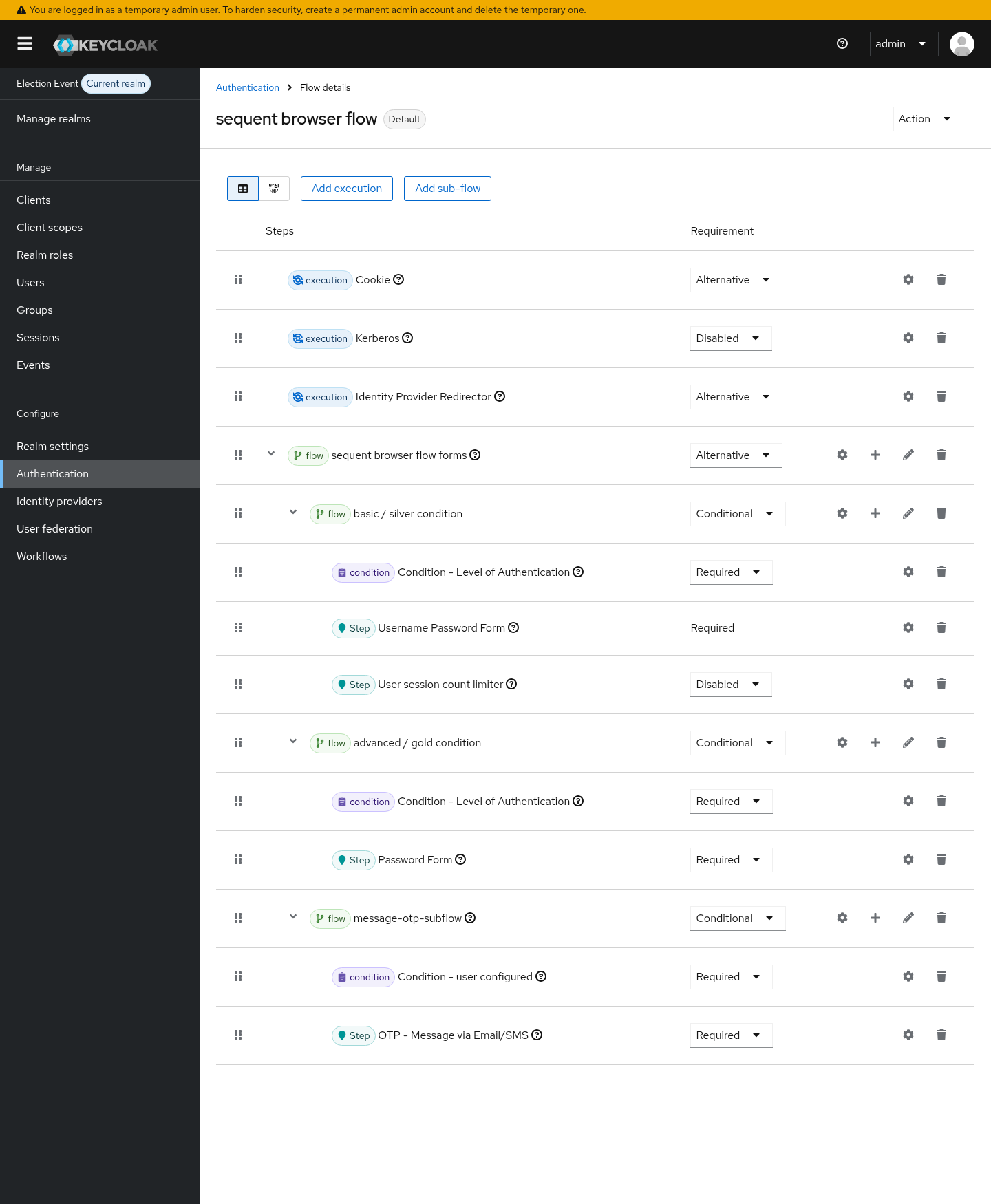
Step 1: add the OTP sub-flow to the browser flow
In the election event realm, open Authentication and select the browser flow
used by the event (sequent browser flow). The OTP step lives in a
Conditional sub-flow that contains Condition - user configured followed by
OTP - Message via Email/SMS, both Required, placed after the username and
password step:
Step 2: enable the option on the authenticator
Open the settings (the gear icon) of the OTP - Message via Email/SMS step and set:
- Message Courier: pick the delivery channel.
EMAILsends the code to the voter's email address.SMSsends it to the mobile number held in the attribute named by Telephone User Attribute (sequent.read-only.mobile-numberby default).BOTHsends it over both channels.
- Auto-create OTP credential: On.
- Use Deferred User: Off. Deferred voters take their address from the authentication session and never need a stored credential, so this option does not apply to them.
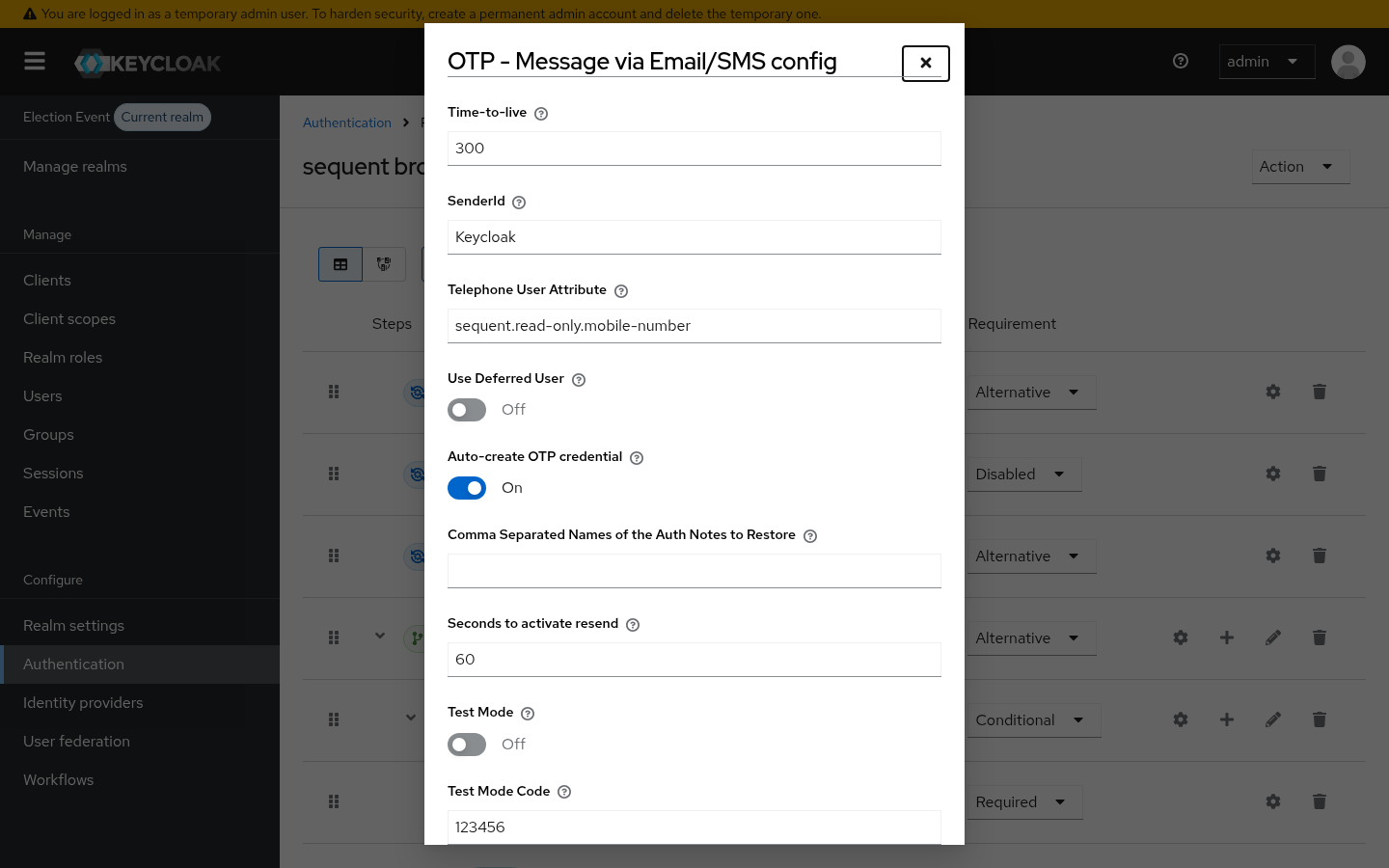
Save the dialog. No voter re-import or edit is required, and no credential enrolment required action needs to be assigned.
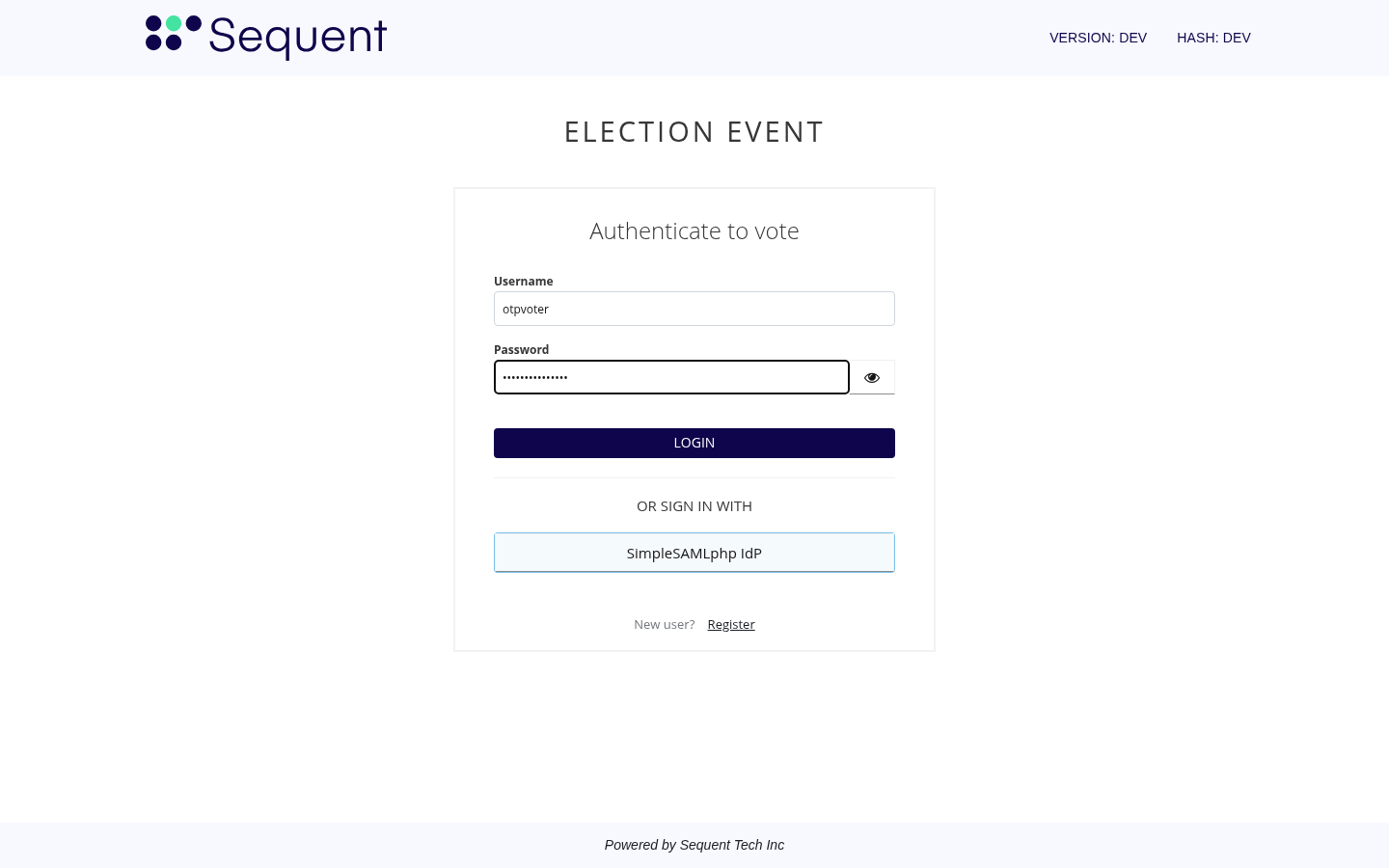
Step 3: the voter signs in
The voter signs in with their username and password as usual:
Because the voter has an address configured for the selected courier, the OTP step now runs on this first login and the code is sent to them. The prompt shows the masked destination, an email address here and a phone number when the code goes by SMS:
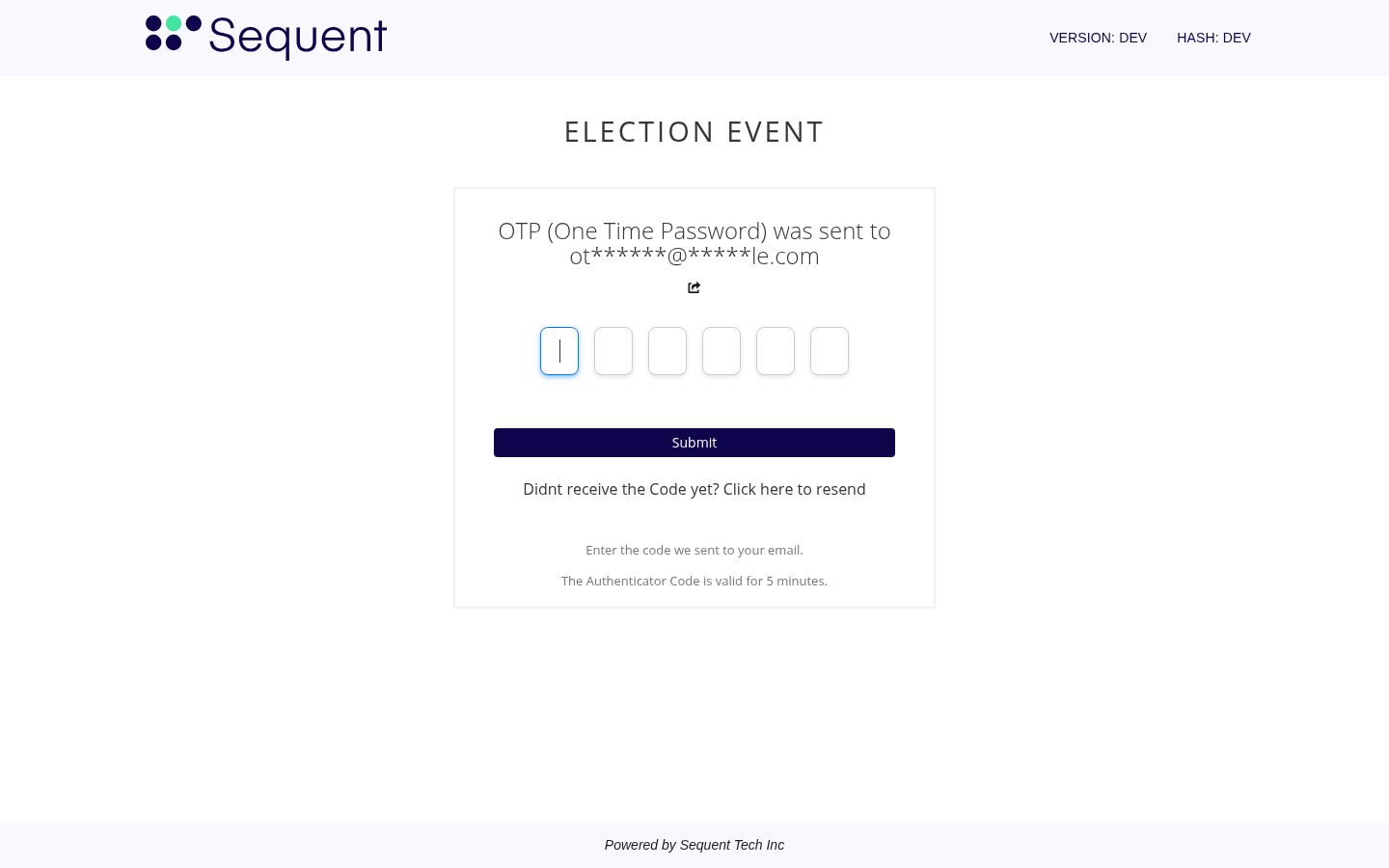
Entering the code completes the login.
In the development environment the message is written to the Keycloak log rather than sent, so you can read an emailed code with:
docker logs keycloak --since 2m 2>&1 | grep -A6 "Sending dummy email"
The dummy SMS sender logs its messages in the same way:
docker logs keycloak --since 2m 2>&1 | grep -A3 "Sending dummy sms"
Step 4: verify the credential was created
Open the voter in Users → Credentials. The message-otp credential now exists
alongside the password, created at the moment of that first login:
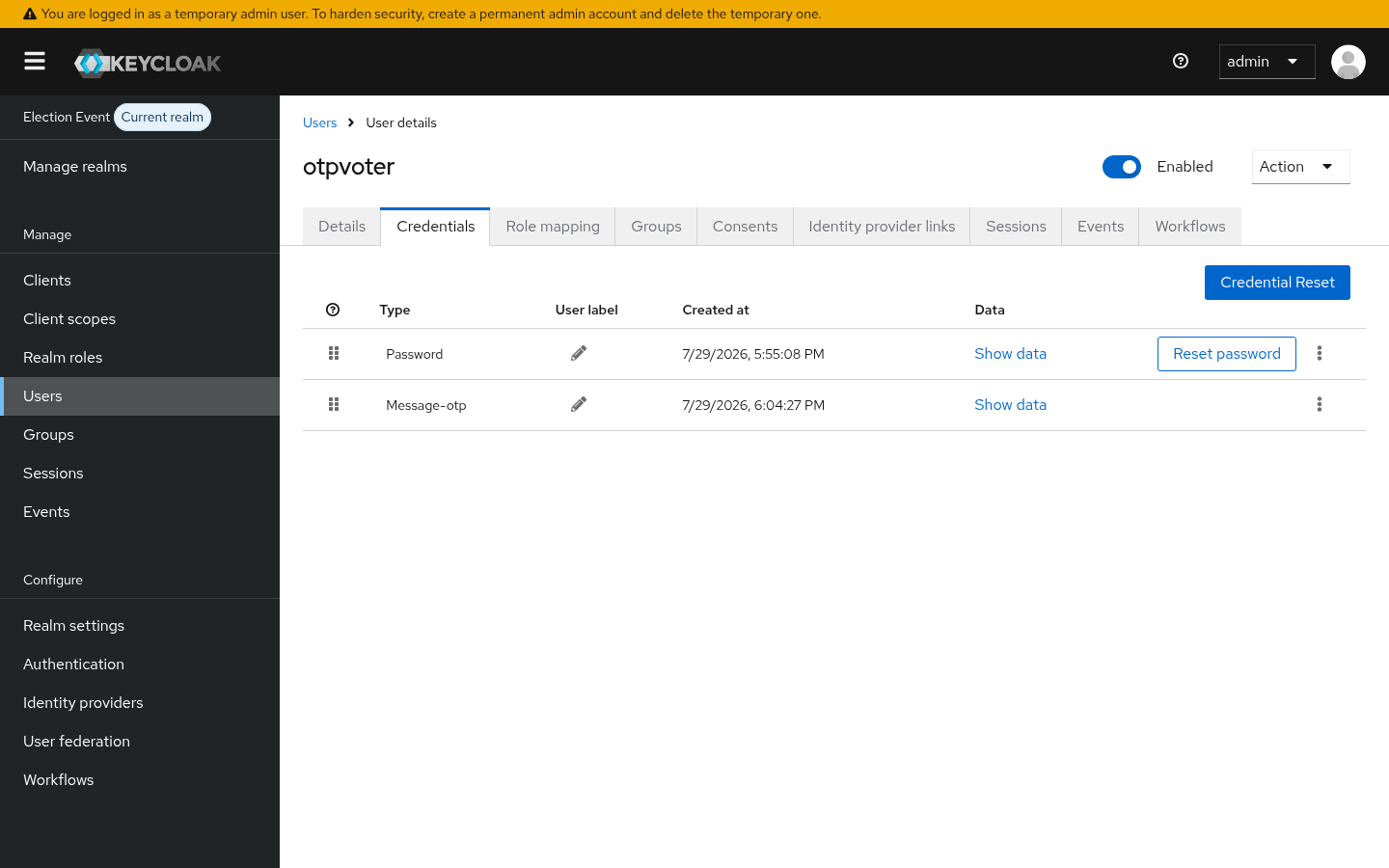
A single message-otp credential covers both channels; there is no separate email
credential and SMS credential. It is created once, and later logins reuse it, so
the OTP step keeps working even if the option is turned off afterwards.
Behaviour summary
| Situation | Option off | Option on |
|---|---|---|
| Voter with an email or a mobile number, no stored credential | OTP step skipped | Credential created, OTP sent |
Voter with a stored message-otp credential | OTP sent | OTP sent |
| Voter with neither email nor mobile | OTP step skipped | OTP step skipped |
| Deferred voter (Use Deferred User on) | Address taken from the authentication session | Unchanged, no credential stored |
Notes
- The option only decides whether the voter is offered the OTP step. It does not weaken the check itself: the code is still generated, delivered, and validated exactly as before, on either channel.
- Having only one of the two addresses is enough. A voter with just an email gets email codes, a voter with just a mobile number gets SMS codes, as long as the courier allows that channel.
- A voter with neither an email address nor a mobile number is never considered configured, so enabling the option cannot lock anybody into a step they cannot complete.
- Because the credential is created during login, turning the option on affects voters gradually as they sign in, rather than in one migration.